For shops that sell on WhatsApp
Sell on WhatsApp, even while you sleep.
Tchatika answers your customers, shows your products, takes the order and sends a Mobile Money payment link. When a human is needed, your team takes over.
- Your official number
- The money goes to you
- 14 days free, no card
Example
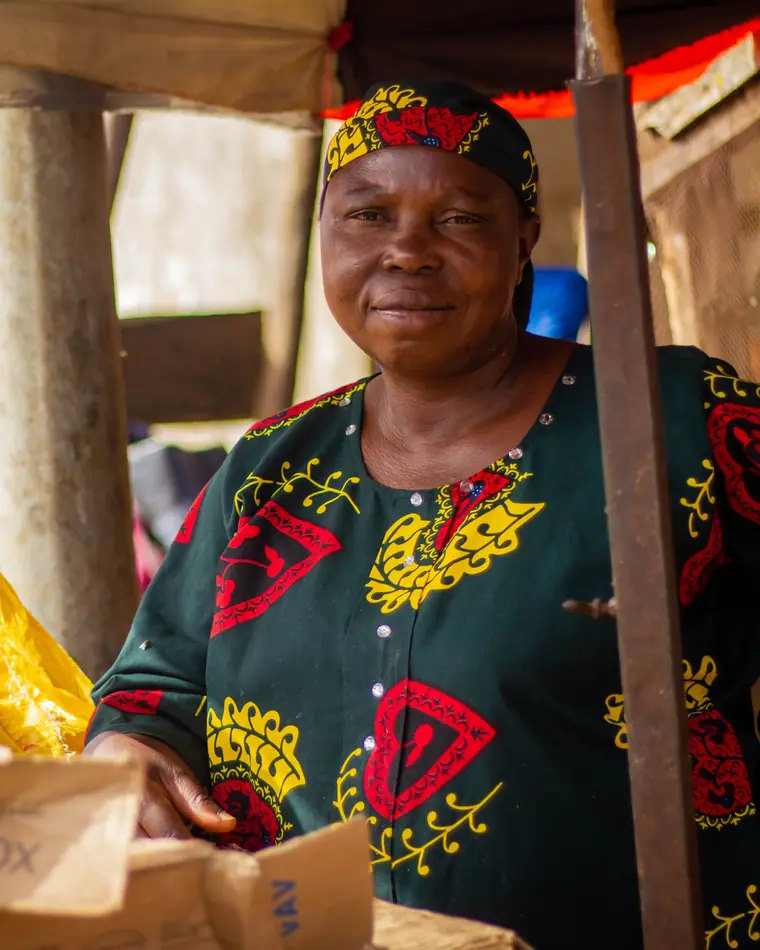
A day of sales at Mama Ngono’s.
Mama Ngono sells wax fabric at Mokolo market, in Yaoundé. Here is what Tchatika does while she serves customers in her shop.

A customer in Douala asks what is new. The bot sends the catalogue, with prices.
Mama Ngono opens the shop. Three orders are waiting, two of them already paid.
A customer types
CMD 2 x3. She gets the total and a Mobile Money payment link.Payment received: 37,500 XAF, in Mama Ngono’s NotchPay account.
A customer wants to haggle over a bulk order. He types
3. Her daughter takes over from her phone.Another question about the blue fabric. The bot answers. Mama Ngono is asleep.
An illustrative scenario: Mama Ngono is a made-up character.
Your turn
Try the bot. Right now.
Tap the replies the way a customer would. This demo bot follows the same rules as the one in the app.
1- shows the catalogue
CMD 1 x2- places the order and sends the payment link
3- calls a human: the bot goes quiet
STOP- stops the offers, at once


Contents
Everything to sell, in one place.

- 01
Sales bot
Welcome menu, catalogue, orders. It answers in seconds, day and night.
- 02
Catalogue and orders
Your products with a code, a price, a photo and stock. Orders land in the app.
- 03
Mobile Money payment
A NotchPay payment link from your account: MTN MoMo, Orange Money or card.
- 04
Shared inbox
Every conversation in one place, for the whole team.
- 05
Human takeover
The customer asks for a person: the bot goes quiet, your team replies.
- 06
Approved templates
Follow-ups, order updates, promotions: submitted to WhatsApp from Tchatika.
- 07
Campaigns to opted-in contacts
Only to contacts who said yes, 250 a day, STOP honoured.
- 08
AI answers
Optional. It answers from your FAQ and catalogue, without making things up.
The money
The money goes to you. Not to us.
Customers pay with the link from your own NotchPay account: MTN MoMo, Orange Money or card. Tchatika never stands between you and your money.

Payment receipt
- Order
- TK-4F2A
- 2 × Wax fabric
- 25,000 XAF
- Paid with
- MTN MoMo
- Received by
- Awa’s Shop
- Into
- The shop’s NotchPay account
- Cut taken by Tchatika
- 0 XAF
NotchPay fees as per your contract.
Your team
The bot answers. Your team closes.
Every conversation lands in one shared inbox. A customer types 3 or CONSEILLER: the bot goes quiet and someone on your team takes over.
One inbox for the whole team
Everyone sees the conversations, the unread messages and who is waiting.
Take over in one click
You reply, the bot stops. Hand it back whenever you like.
The 24-hour window, shown
You know when a free-form reply is allowed and when a template is needed.
The rules
House rules.
WhatsApp blocks numbers that message people without consent. Tchatika applies these rules for you, no exceptions.
- 1.Offers only go to opted-in contacts.
The customer’s consent is recorded, with its source and date.
- 2.A STOP is honoured at once.
No more offers. Only they can come back, by writing
START. - 3.250 recipients a day, no more.
Campaigns go out in batches, at the pace of a new number.
- 4.To message first: an approved template.
Tchatika checks it, submits it to WhatsApp and tracks the answer.
Pricing
A price on the tag, like at the market.
Start with 14 free days. WhatsApp messaging fees are included in your plan.
Do I need a special number?
You need a number that is not already used in the WhatsApp or WhatsApp Business app. If it is, delete it from the app first. It then moves to the official WhatsApp Business API.
Do I own my number?
Yes. It is registered in your own Meta Business account, not ours. You can remove Tchatika’s access whenever you want.
How does connecting work?
An official Meta window opens. You log in to Facebook, choose or create your business account, then confirm a code received by SMS or call. During launch, our team guides you.
How does the customer pay?
The bot sends a NotchPay payment link with the order. The customer pays by MTN MoMo, Orange Money or card. The money lands in your NotchPay account.
Can the bot get it wrong?
Menus, catalogue and orders follow fixed rules. The AI, if you turn it on, only answers from your information. When it does not know, it offers a human.

Your customers already write on WhatsApp. Answer them, even at night.
14 days free, no card. You keep your number and your Meta account.
Aba market, Nigeria. Photo: Temple Maduoma, Pexels.